
 Tony Passwater
QuickBooks Payroll Options
Ideas to Improve Your Business and/or Lower Costs
There are several options here that we have found are very beneficial to the business and at the same time lower your costs. Whether to use QuickBooks Payroll or a third-party service is a key decision to make.
Payroll Options
If you are using QuickBooks, the most obvious selection is to use Intuit Payroll.
There are three basic Intuit payroll options: Basic, Enhanced, and Full Service. The Enhanced is the most common option used by small businesses since it includes the tax filing forms for State and Federal, where the Basic option does not. However, this means you are responsible to do the payroll using Intuit’s tax tables, pay your taxes on time, file all the returns, pay at least 400.00$ to 500.00$ each year for tax table usage and per employee fees each pay period, and a required QuickBooks upgrade every third year.
The system has the ability to connect electronically to pay and file Federal Taxes, and if your State allows it, do the same for your State taxes. When setup properly the system will notify you well when all this is due, but I often see that this has not been done and late filing penalties then happen. It is your responsibility to pay and file on time.
⚠️ Common Setup Mistake
It is critical that the Payroll Items are setup correctly so your payroll is distributed properly. We have often found this not to be the case when set up by standard CPAs or accountants. Since they are primarily concerned about tax liability and not daily operations, they often lump all payroll into a single general “Wages” account. This is completely incorrect and deprives the business owner of essential cost analysis.
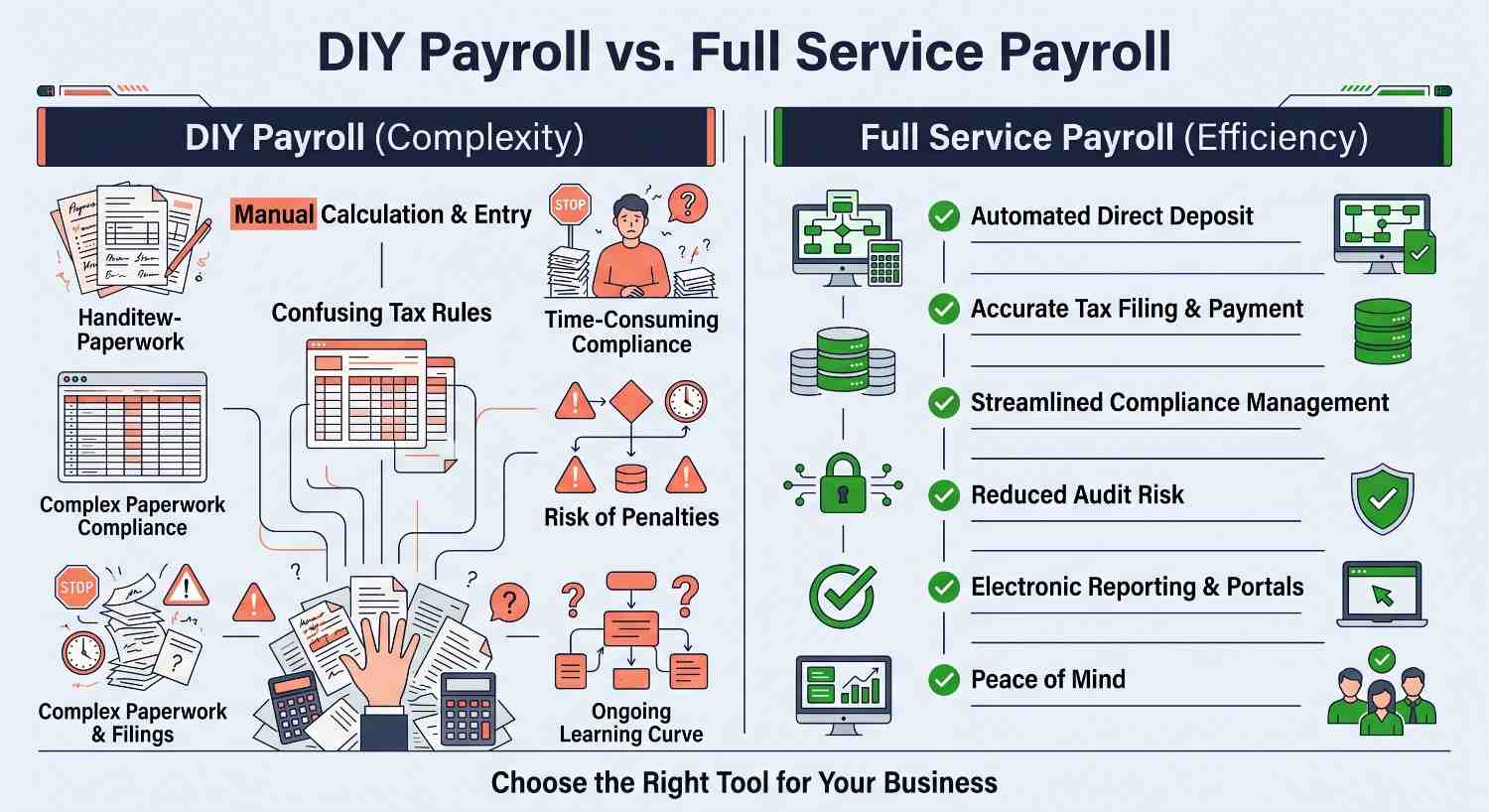
Figure 1 – DIY Payroll (Self-Managed) vs. Professional Full Service Payroll
A Full Service Payroll option transfers the responsibility and liability of maintaining accurate payroll records and paying on time to the service provider and not on you. Intuit does have a Full Service Payroll Option like other third-party offerings, however Intuit’s option does not support all State forms and they are priced on the high side. For this reason, if you are looking for a full payroll solution there are other better offerings available.
Intuit has a per employee fee that ranges from 2.00$ to 4.00$ depending on how the employee is being paid (Check or Direct Deposit). They also cease providing tax table updates in the third year for the older QuickBooks versions. So if payroll is to be used, you will be required to upgrade QuickBooks to the current version to continue to use payroll.
A Better Third-Party Full Payroll Solution
We have reviewed and worked with dozens of third party payroll services only to find that they have flaws that do not fit well with the industry, or they do not properly integrate into QuickBooks. This forces manual distribution through a Payroll Clearing Account and journal entries to properly allocate the payroll to proper accounts.
ADPrun is the best and most reliable solution we have found for all businesses under 50$.
Why Choose ADPrun?
Simple to Use: Exceptionally clean and intuitive interface.
Superior QuickBooks Integration: Imports better than any other software on the market.
No Upgrades Required: Eliminates mandatory QuickBooks version upgrades to run payroll.
Cost Effective: Simple, flat-rate, highly competitive pricing.
Flexible Check Options: Print your own checks locally or have them signed and delivered.
Employee Portals: Pay stubs, tax documents, and W-2s are always securely available to employees.
No Hidden Fees: Pure transparency with zero processing surprises.
Additional HR Tools: Easy scaling to add recruiting tools, benefit tracking, and more.
Video Guide: RUN Powered by ADP® small business payroll demo
ADPrun Information
We highly suggest you check out your options… they are providing discounts that make this payroll service a great value, and very competitively priced.
📊 Check Out Your Custom ADP Quote
Access authorized accountant channel discounts directly through this link.
If you have missed our earlier issues of QuickBooks Tips & Tricks, you can catch up on past issues by Clicking Here.
Thank You and I look forward in sharing QuickBooks Tips and Tricks with you next month …